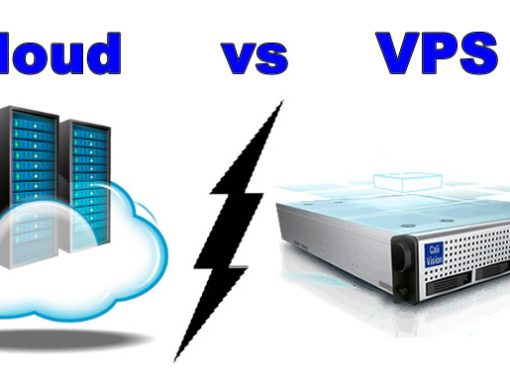

When comparing hosting plans, Cloud and VPS often look similar.
Both offer:
- Dedicated resources
- Better performance than shared hosting
- Scalability options
Yet cloud hosting usually costs more.
Why?
Because there is a fundamental infrastructure difference.
If you're still deciding between hosting types, you may want to first read:
👉 Shared vs VPS vs Dedicated Hosting – Pros and Cons (2026 Guide)
What Is VPS Hosting?
VPS stands for Virtual Private Server.
A VPS is:
- One physical server
- Divided into multiple virtual servers
- Each virtual server acts independently
Each VPS gets:
- Allocated RAM
- Allocated CPU
- Allocated storage
- Its own operating system
It behaves like a mini dedicated server — but shares the same physical machine.
VPS Hosting – Strengths
✔ More affordable than cloud
✔ Root access & full customization
✔ Isolated environment
✔ Ideal for growing businesses
VPS Hosting – Limitations
⚠ If the physical server fails → all VPS instances on that server go offline
⚠ Limited to the capacity of that single physical machine
⚠ Scaling may require reboot or manual upgrade
This is where Cloud hosting differs.
What Is Cloud Hosting?
Cloud hosting spreads your website across multiple physical servers connected in a cluster.
Instead of relying on one machine, your site runs on a network of servers.
This allows:
- High availability
- Redundancy
- Flexible scaling
- Failover protection
High Availability (Major Difference)
High availability means your website remains online even if one server fails.
VPS:
- Runs on one physical server
- If hardware fails → downtime
Cloud:
- Runs on multiple servers
- If one fails → another instantly takes over
- Minimal or zero downtime
For e-commerce or high-traffic websites, this is critical.
Auto-Scaling Explained
One of the biggest advantages of cloud hosting is auto-scaling.
VPS Scaling:
- You manually upgrade resources
- May require reboot
- Limited to hardware capacity
Cloud Auto-Scaling:
- Resources increase automatically during traffic spikes
- No downtime
- Pay-as-you-use flexibility
This is ideal for:
- Flash sales
- Campaign launches
- Viral traffic
- Seasonal surges
Disaster Recovery & Redundancy
Cloud hosting typically includes built-in redundancy.
VPS:
- Backup depends on your provider setup
- Single data center location
Cloud:
- Data replicated across multiple servers
- Faster disaster recovery
- Better business continuity
For companies that cannot afford downtime, cloud infrastructure reduces operational risk.
Why Cloud Hosting Costs More
Even if plan specs look similar, cloud hosting includes:
- Multi-server architecture
- Load balancing
- Failover systems
- Redundant storage
- Network replication
You’re paying for infrastructure resilience, not just RAM and CPU.
Who Should Use VPS Hosting? (Singapore SME Angle)
VPS is ideal for:
- Growing SMEs
- Agencies hosting multiple websites
- WooCommerce stores
- Businesses needing customization
- Companies with in-house IT support
If you want control at a reasonable cost, VPS is often the best middle ground.
Who Should Use Cloud Hosting?
Cloud hosting is best for:
- High-traffic e-commerce stores
- SaaS platforms
- Corporate portals
- Businesses running paid ad campaigns
- Companies requiring high uptime guarantees
If your website directly generates revenue and downtime equals lost sales — cloud hosting makes sense.
Quick Comparison Table (2026 Overview)
| Feature | VPS Hosting | Cloud Hosting |
|---|---|---|
| Physical Server Count | One | Multiple |
| High Availability | Limited | Yes |
| Auto-Scaling | Manual | Automatic |
| Disaster Recovery | Basic | Advanced |
| Customization | High | Moderate |
| Cost | Lower | Higher |
| Best For | Growing SMEs | High-Traffic & E-Commerce |
Performance Considerations
Both VPS and Cloud hosting benefit from:
- NVMe storage
- LiteSpeed servers
- HTTP/3 support
- CDN integration
For infrastructure breakdown, see:
👉 Super Fast and Secure Web Hosting Technology in 2026
Local vs Overseas Consideration
For Singapore businesses:
- Local cloud or VPS servers = lower latency
- Better SEO performance
- Faster checkout experiences
Pairing cloud hosting with a CDN improves global delivery.
Final Thoughts
There is no “better” option — only the right option for your business stage.
Choose VPS If:
- You want affordability + control
- You have predictable traffic
- You can manage server resources
Choose Cloud If:
- You expect traffic spikes
- You need high availability
- Downtime would cost you revenue
- You want automatic scaling
Still unsure?
👉 Review: Shared vs VPS vs Dedicated Hosting – Pros and Cons (2026 Guide)
👉 Or contact us for a personalized recommendation based on your traffic, business model, and growth plans.