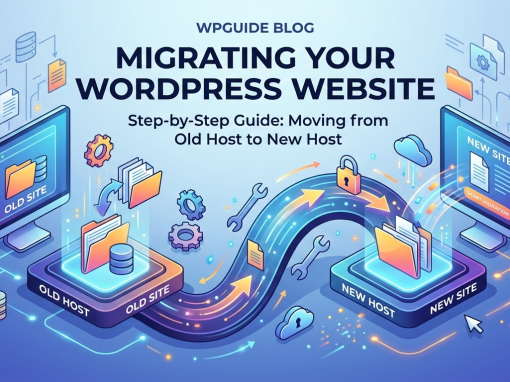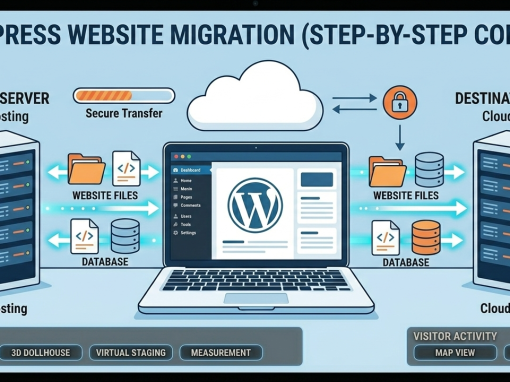

Migrating a WordPress website can be simple — or it can break your entire site if done incorrectly.
Whether you're moving hosting providers, pushing staging to live, or cloning a WooCommerce store, choosing the right migration plugin makes all the difference.
In this guide, we compare the best WordPress migration plugins in 2026, including pros, cons, and which one is best for your situation.
👉 Have you read WordPress Migration for Dummies
1️⃣ All-in-One WP Migration
Overview
One of the most beginner-friendly migration plugins available. It allows full site export (files + database) into a single downloadable file.
✅ Pros
- Very easy to use
- Clean interface
- Works well for small to medium sites
- Great for staging-to-live pushes
- No technical knowledge required
❌ Cons
- Free version has upload limits (typically 512MB)
- Unlimited extension is paid
- Not ideal for very large WooCommerce stores
Best For:
- Brochure websites
- Small business sites
- Simple hosting transfers
Verdict: Excellent for basic migrations, but upgrade required for professional use.
2️⃣ Duplicator
Overview
More powerful and flexible than All-in-One WP Migration. Uses a package + installer system.
✅ Pros
- No upload limit (server dependent)
- Works even without WordPress installed
- Handles larger sites better
- Reliable for WooCommerce
❌ Cons
- Slightly more technical
- Manual installer process may confuse beginners
Best For:
- Developers
- WooCommerce stores
- Larger websites
- Server-to-server migration
Verdict: Best balance between power and flexibility.
3️⃣ WP Migrate (by Delicious Brains)
Overview
A professional-grade migration tool focused on database push/pull between environments.
✅ Pros
- Push/pull staging ↔ live
- Smart serialized data handling
- Built for agencies
- Reliable database migration
❌ Cons
- Premium only
- More technical
- Not beginner-focused
Best For:
- Agencies
- Ongoing maintenance clients
- Frequent staging updates
Verdict: Ideal for professional workflows.
4️⃣ UpdraftPlus (Migrator Add-on)
Overview
Primarily a backup plugin with migration capability.
✅ Pros
- Backup + migration in one tool
- Reliable restore functionality
- Good for maintenance clients
❌ Cons
- Migration feature requires premium
- Slower for large WooCommerce sites
Best For:
- Backup-focused workflow
- Maintenance contracts
- Smaller websites
Verdict: Best for clients already using UpdraftPlus.
🏆 Quick Comparison Table
| Plugin | Beginner Friendly | Large Sites | WooCommerce | Push/Pull | Best For |
|---|---|---|---|---|---|
| All-in-One | ⭐⭐⭐⭐⭐ | ❌ | ⚠️ | ❌ | Small sites |
| Duplicator | ⭐⭐⭐ | ⭐⭐⭐⭐ | ⭐⭐⭐⭐ | ❌ | Developers |
| WP Migrate | ⭐⭐ | ⭐⭐⭐⭐ | ⭐⭐⭐⭐ | ✅ | Agencies |
| UpdraftPlus | ⭐⭐⭐⭐ | ⚠️ | ⚠️ | ❌ | Backup-first |
⚠️ Common Migration Problems (Regardless of Plugin)
Even the best plugin cannot prevent:
- Broken image links
- Mixed content (HTTP/HTTPS) errors
- Payment gateway misconfiguration
- Email notifications sending accidentally
- PHP version mismatch
- Plugin conflicts
- Caching issues
- Large database timeout
Professional migration involves more than clicking export/import.
🔐 Our Recommended Professional Workflow
At Hosting-Server.net, we follow this process:
- Full server backup
- Migration using Duplicator or server-level backup
- Search & replace URLs
- SSL verification
- WooCommerce checkout test
- Reconfigure payment gateways
- Install security & caching
- Submit sitemap to Google
- Post-migration performance test
This ensures zero downtime and no broken functionality.
Should You Use a Plugin or Server-Level Migration?
For business websites, especially WooCommerce:
✔ Server-level migration is safest
✔ Plugin migration works for smaller sites
✔ Avoid free-only tools for client projects
Need Help Migrating Your WordPress Website?
WordPress migration can look simple — but one wrong step can break your site, payment system, or SEO rankings.
We provide:
- Secure WordPress migrations
- WooCommerce store transfers
- Staging-to-live deployment
- Zero-downtime hosting moves
- Post-migration optimization
👉 Contact Hosting-Server.net today for professional WordPress migration support.