Technical SEO is the foundation of every successful search strategy.
You can have excellent content and strong backlinks, but if search engines cannot crawl, index, or understand your website properly, rankings will suffer.
For Singapore businesses competing in a fast-paced digital market, technical optimization ensures long-term stability and sustainable growth.
If you’re new to overall SEO strategy, start with our complete SEO Guide for Singapore Businesses (2026 Update) before diving into technical implementation.
How to Use Google Search Console Effectively
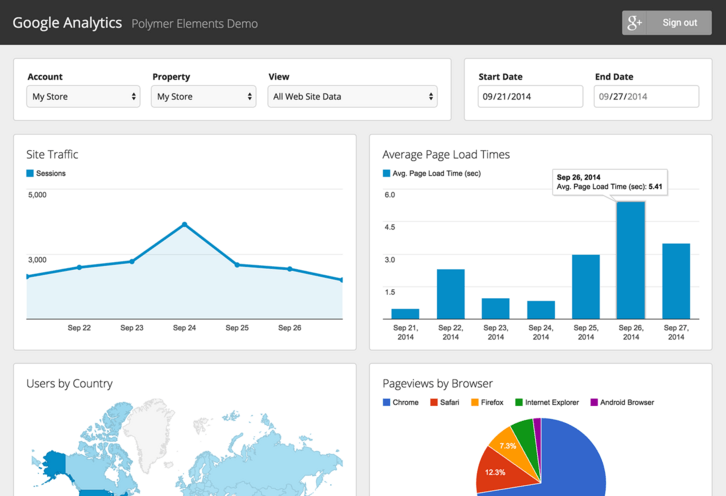
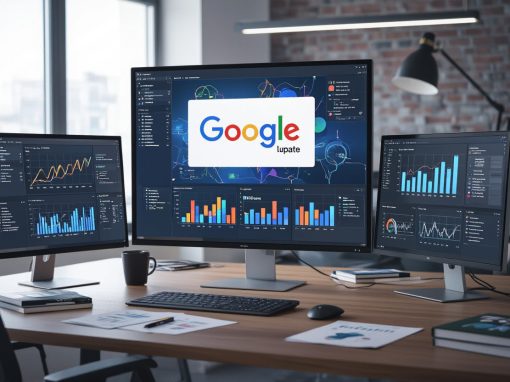
Google Search Console (GSC) is one of the most powerful free tools available for monitoring SEO performance.
It helps you:
- Monitor search impressions and clicks
- Identify indexing issues
- Detect crawl errors
- Submit sitemaps
- Review mobile usability
- Inspect specific URLs
Key Areas to Monitor
1. Performance Report
Track:
- Queries driving traffic
- Click-through rate (CTR)
- Pages gaining impressions
Look for keywords ranking on page 2 and optimize those first.
2. Page Indexing Report
This shows:
- Indexed pages
- Excluded pages
- Pages with errors
Any unexpected “Excluded” pages should be investigated.
3. URL Inspection Tool
Use this to:
- Check indexing status
- Test live URL
- Request reindexing after updates
Consistent GSC monitoring prevents technical problems from compounding over time.
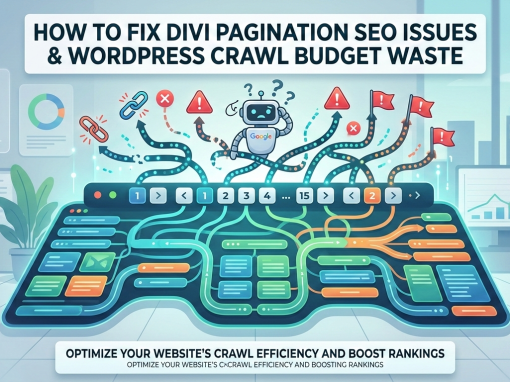
Fix Crawl Errors Before They Affect Rankings
Crawl errors prevent Google from properly accessing your content.
Common issues include:
- 404 errors
- Broken internal links
- Server errors (500)
- Redirect loops
- Blocked resources
- Incorrect robots.txt rules
How to Fix Them
- Redirect outdated URLs to relevant pages
- Update internal links pointing to broken URLs
- Remove unnecessary noindex tags
- Ensure hosting server stability
Reliable server performance plays a crucial role here. A fast and stable web hosting solution in Singapore reduces crawl errors and improves indexing reliability.
301 Redirects: When and How to Use Them
301 redirects permanently move one URL to another.
They are essential when:
- Changing slugs
- Merging duplicate content
- Deleting outdated blog posts
- Restructuring categories
- Migrating domains
Best Practices for 2026
- Always use 301 (not 302) for permanent moves
- Redirect to the most relevant page, not the homepage
- Avoid redirect chains
- Audit redirects regularly
Proper redirects preserve link equity and prevent traffic loss during restructuring.
Sitemap Optimization

An XML sitemap helps search engines discover and index important pages.
However, many websites generate bloated or poorly structured sitemaps.
Your Sitemap Should:
- Include only indexable pages
- Exclude redirects
- Exclude noindex pages
- Update automatically
- Be submitted in Google Search Console
Avoid adding tag archives, duplicate categories, or thin pages.
After major blog cleanups or URL changes, always regenerate and resubmit your sitemap.
Core Web Vitals (Performance & User Experience)
Core Web Vitals measure real user experience.
Google evaluates:
- Loading performance
- Interactivity
- Visual stability
Key Metrics
Largest Contentful Paint (LCP)
Measures loading speed of main content.
Interaction to Next Paint (INP)
Measures responsiveness to user interaction.
Cumulative Layout Shift (CLS)
Measures unexpected layout movement.
How to Improve Core Web Vitals
- Use optimized images
- Enable caching
- Minify CSS and JS
- Use lightweight themes
- Choose fast hosting infrastructure
Website performance is closely tied to development quality. A properly structured site built by an experienced web design team in Singapore will typically perform better than bloated template-based builds.
Schema Markup: Helping Google Understand Your Content
Schema markup is structured data that enhances search results.
It can enable:
- Rich snippets
- FAQ dropdowns
- Review stars
- Business information panels
- Breadcrumb enhancements
Common schema types for Singapore businesses include:
- LocalBusiness
- FAQPage
- Service
- Article
- Breadcrumb
Proper schema improves click-through rate and semantic clarity.
Modern SEO plugins can generate schema automatically, but it should always be reviewed for accuracy.
Internal Linking & Technical SEO
Internal linking is not just an on-page tactic — it’s technical architecture.
A strong structure:
- Guides crawlers
- Distributes authority
- Reduces orphan pages
- Improves indexing speed
For example:
- Blog articles should link back to core service pages
- Cluster content should link to pillar guides
- Pillar pages should link to related clusters
This creates clear topic silos and improves crawl efficiency.
If you want to see how technical SEO fits into a broader strategy, refer back to our full SEO Guide for Singapore Businesses .
Common Technical SEO Mistakes to Avoid
- Blocking important pages in robots.txt
- Leaving staging sites indexable
- Creating duplicate category URLs
- Overusing plugins that slow performance
- Ignoring crawl reports
- Allowing broken internal links to accumulate
Technical neglect often causes ranking drops even when content quality is high.
When Should You Get Professional Technical SEO Help?
You may need professional support if:
- Rankings dropped suddenly
- You migrated domains
- You restructured URLs
- You have indexing issues
- Core Web Vitals are poor
- Your site has complex architecture
Technical SEO requires structured auditing and ongoing monitoring.
If you need assistance, explore our SEO services in Singapore to see how a comprehensive technical audit can strengthen your rankings.
Final Thoughts
Technical SEO is not glamorous, but it is foundational.
It ensures:
- Crawlability
- Indexability
- Performance
- Stability
- Scalability
Singapore businesses that invest in proper technical infrastructure build a stronger long-term digital asset.
Content and backlinks drive growth — but technical SEO keeps that growth stable and protected.